Library
The three browsers built into the add-in. They share one Library pane in Excel — open any of them from the Library group on the ribbon and switch between tabs without closing anything.
Function Browser
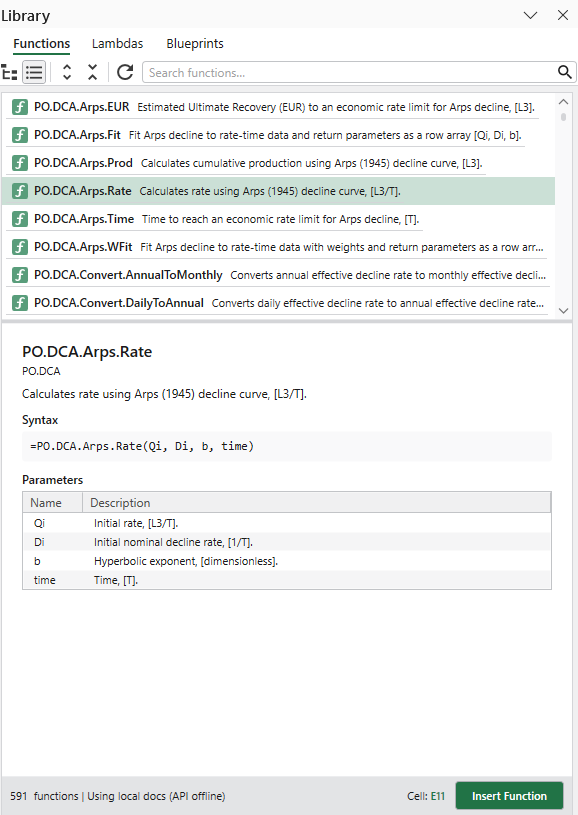
Find any Petroleum Office function and insert it
Browse the whole function catalog as a curated tree, grouped by engineering discipline.
Search by name or keyword, then read the syntax, parameters and units before you insert.
Insert the call itself, or a worked snippet with example inputs already wired up.
Lambda Manager
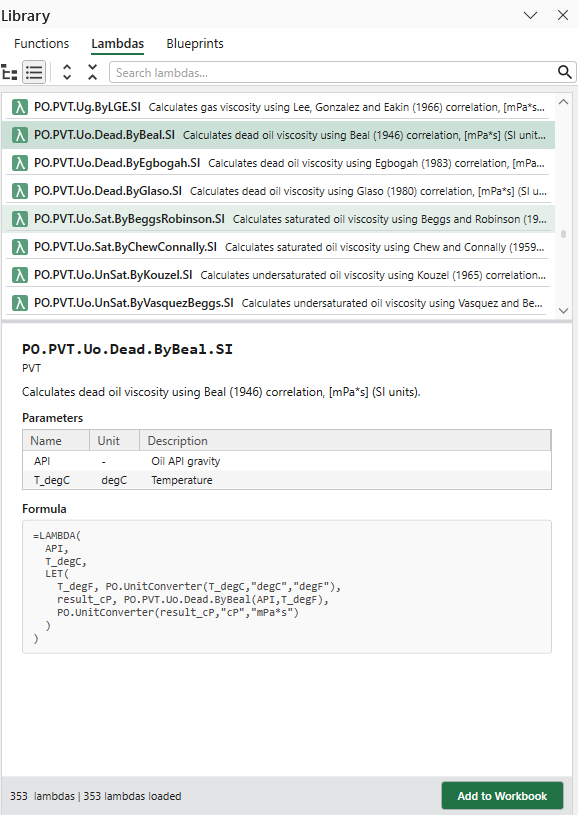
SI-unit versions of the functions, added to your workbook
Petroleum Office functions expect field units — each lambda takes SI inputs and converts for you.
Add one to your workbook and it becomes a named formula, visible in Excel's Name Manager.
Named after the function it wraps, with .SI on the end, so the pairing is always obvious.
Blueprint Manager
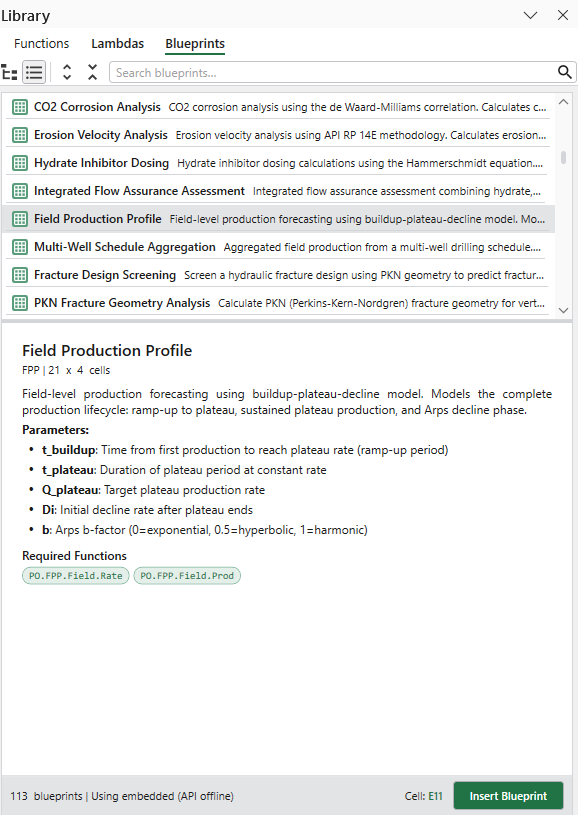
Ready-to-use calculation templates for your worksheet
Insert a complete, pre-built calculation — labels, inputs and formulas — at the cell you choose.
Preview the size, tags and required functions before anything is written to the sheet.
Everything inserted is ordinary Excel, so you can edit, copy and extend it afterwards.