LAS Import
Import LAS well log files directly into Excel — each curve becomes a column on a dedicated worksheet, header metadata preserved.
How LAS Import Works
From a .las file on disk to a worksheet of curves in three steps.
Open the LAS Import pane
Pick LAS Import from the Tools group on the Petroleum Office ribbon. The pane opens with three sections: file selection, curve preview, and import options.
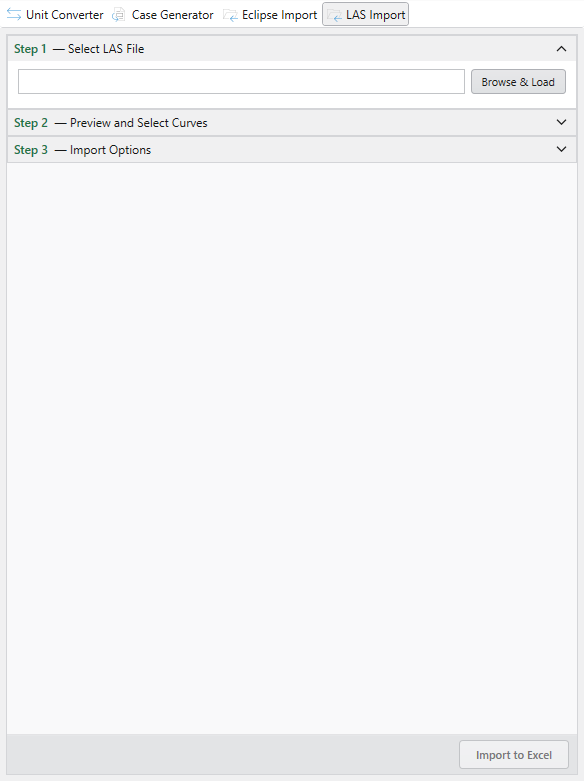
Load the file and pick curves
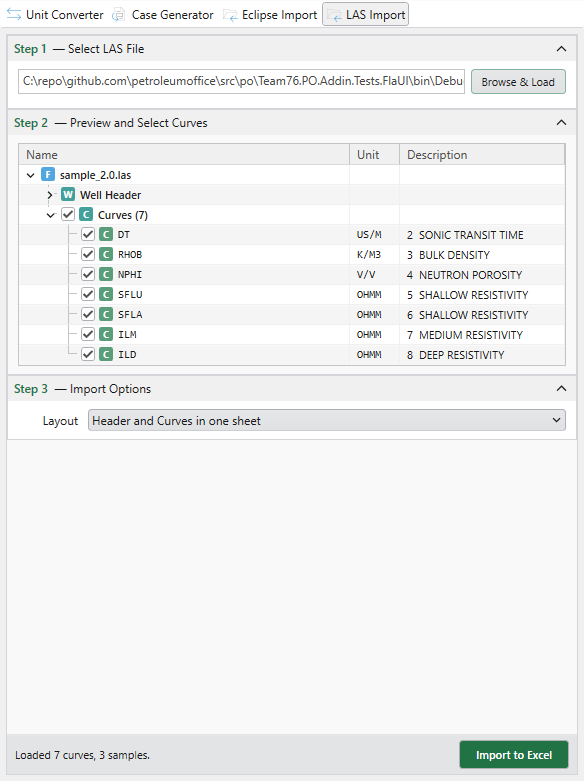
Click Browse & Load and pick a .las file (both LAS v2.0 and v3.0 are supported). The pane parses it on the spot and lists every curve with its unit and description.
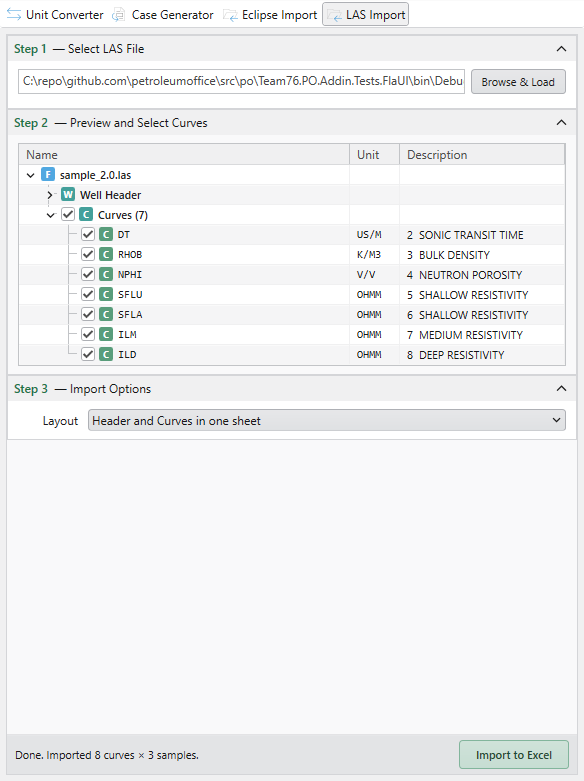
Import to Excel
Tick the curves you want, leave noise unchecked, then click Import to Excel. The pane confirms how many curves and samples landed.
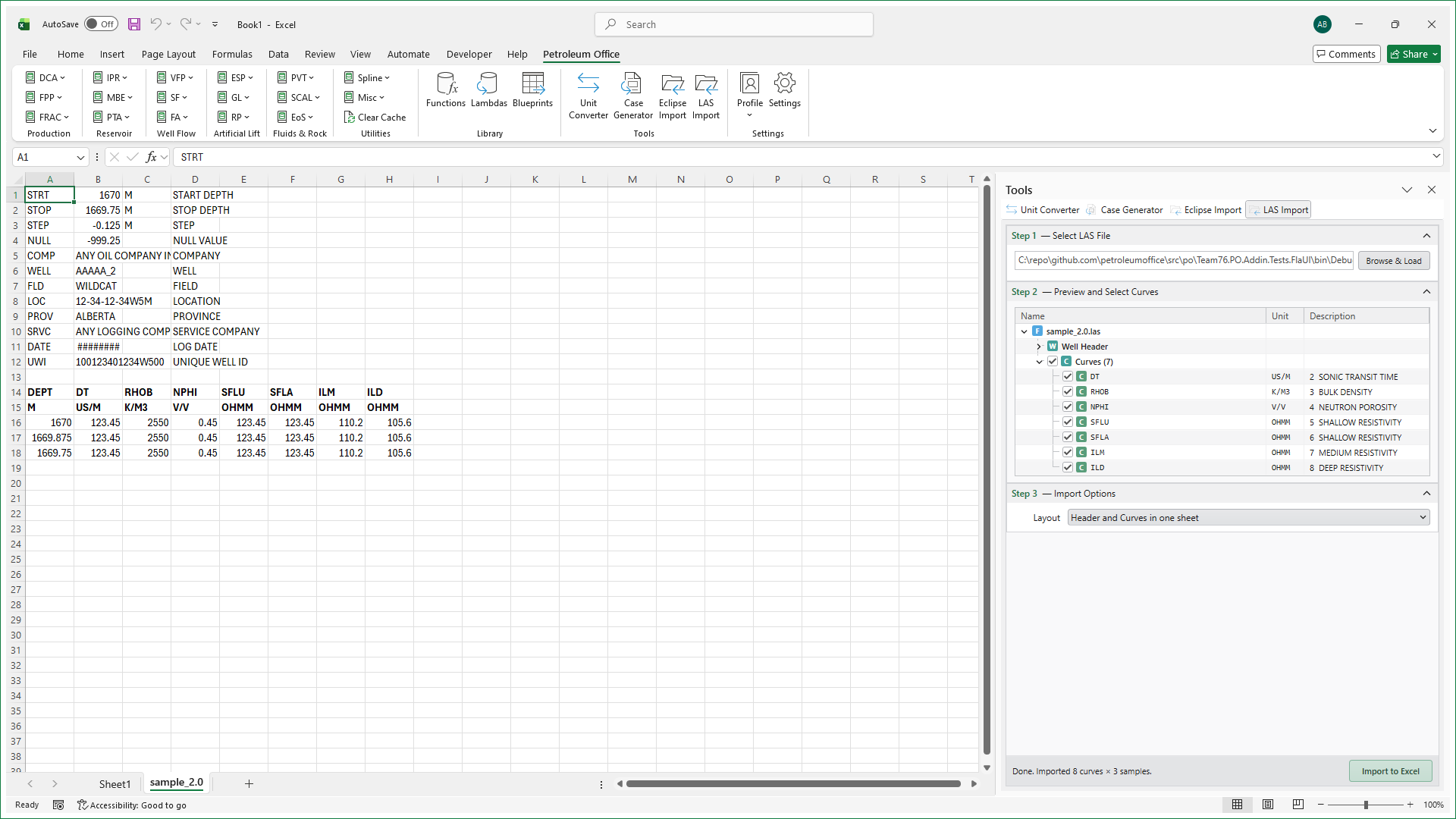
Curves arrive as a dedicated worksheet
The curves land in columns next to the well-header metadata — one worksheet per file, ready for crossplots and petrophysical analysis.
Features
Multiple Wells
Batch-import in one go
- Select multiple .las files at once
- Each well gets its own worksheet
- Worksheet named after the file
Curves & Metadata
Complete log payload
- All curves imported as columns
- Header sections (Well, Curve, Parameter) preserved
- Units and descriptions retained
Ready for Analysis
No manual parsing
- Crossplot GR vs porosity instantly
- Build composite log displays in Excel
- Feed petrophysical workflows downstream
Supported File Formats
LAS well log file versions supported by the importer.
| Version | Description | Sections |
|---|---|---|
LAS v2.0 |
Canadian Well Logging Society standard for openhole logs | ~V, ~W, ~C, ~P, ~O, ~A |
LAS v3.0 |
Multi-section format with arbitrary data tables | Definition + Data section pairs |