Function Browser
Browse, search, and explore 600+ petroleum engineering Excel functions organized by category.
Find the Right Function Instantly
The Function Browser organizes every Petroleum Office function into a searchable, categorized library — available both in Excel and on the web.
Organized by Category
Hierarchical category tree
- PVT, DCA, VFP, IPR, MBE, and more
- Nested subcategories for easy navigation
- Collapse and expand category groups
Full-Text Search
Find functions by name or keyword
- Type any keyword to filter instantly
- Search across names, descriptions, and categories
- Jump to any function in one click
Rich Documentation
Every function fully documented
- Syntax and parameter descriptions
- Usage examples with expected values
- Related functions and blueprints
In Excel: Ribbon Access
Open the Function Browser from the Petroleum Office ribbon to search and insert functions without leaving your spreadsheet.
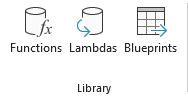
Click Functions in the Library group to open the browser
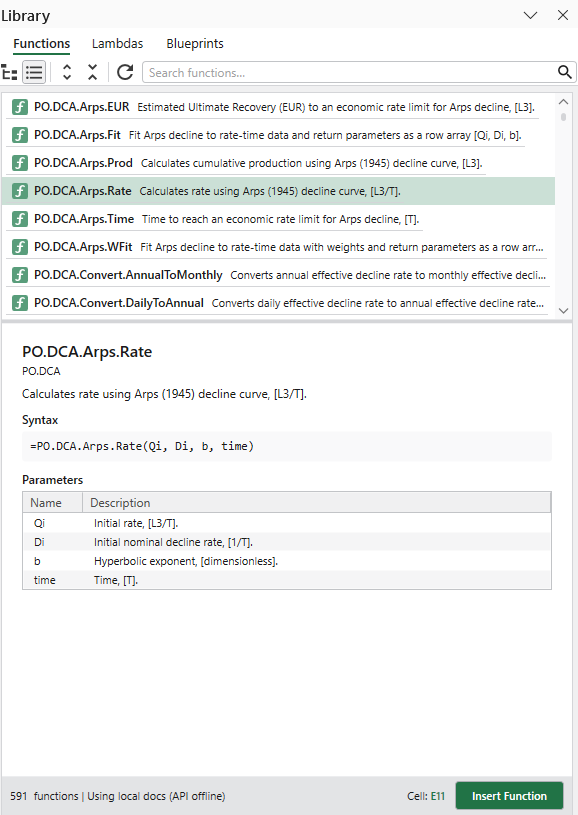
Search, browse categories, and view full documentation
Online: Browse Anytime
The same function library is available on the web — search, read documentation, and discover related blueprints from any device.
Function Catalog
Browse all functions online
- Organized by category with sidebar navigation
- Search across names, descriptions, and categories
- View function count per category
Function Details
Full documentation per function
- Syntax and parameter descriptions
- Usage examples with expected values
- Related functions and blueprints