Lambda Manager
SI-unit versions of the Petroleum Office functions — browse them, then add them to your workbook as named formulas.
Engineering Calculations in SI Units
Petroleum Office functions expect field units. Each lambda takes SI inputs, calls the matching function underneath, and hands back an SI result — so you stop converting on every call.
Named After the Function
Predictable naming
- Every lambda is its function's name with .SI appended
- Same arguments, same order, SI units
- Same correlation — only the unit handling moves
Add to Your Workbook
Stored as a defined name
- One click adds it to the active workbook
- Appears in Excel's Name Manager
- Conflicts are listed before anything is written
Browse by Discipline
Curated hierarchy
- Tree view grouped by engineering discipline
- Flat list and search for a known term
- Formula, parameters and workflow shown per lambda
In Excel: Ribbon Access
Open the Lambda Manager from the Petroleum Office ribbon to browse the catalog and add lambdas without leaving Excel.
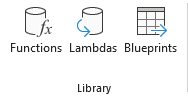
Screenshot: Ribbon → Library → Lambdas button
Click Lambdas in the Library group to open the manager
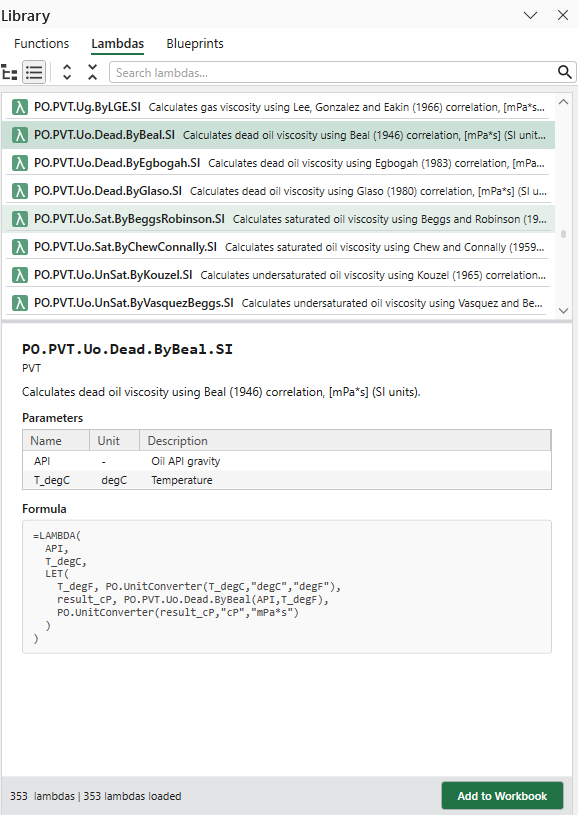
Screenshot: Lambda Manager pane with formula and parameters
Browse the tree, read the formula, then add it to your workbook
Online: Browse Anytime
Explore the full lambda catalog on the web — read each formula and its parameters before you open Excel.
Lambda Catalog
Browse all lambdas online
- Grouped by engineering discipline
- Filter by tags and categories
- See the SI units each one expects
Lambda Details
Full info per lambda
- The complete LAMBDA definition
- Parameters with their SI units
- The function it wraps