File Generator
Batch-create simulation input files from Excel templates — define tokens, map parameters, and generate hundreds of scenario files.
How File Generator Works
Create a template file with token placeholders, define your cases in Excel, and generate all files in one click.
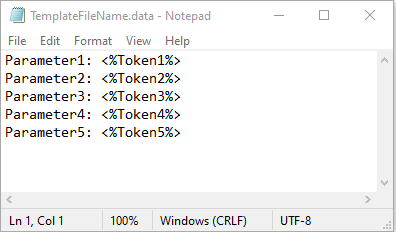
Create a Template
Write your simulation input file with token placeholders (e.g., @PERM, @POROSITY) where values should vary.
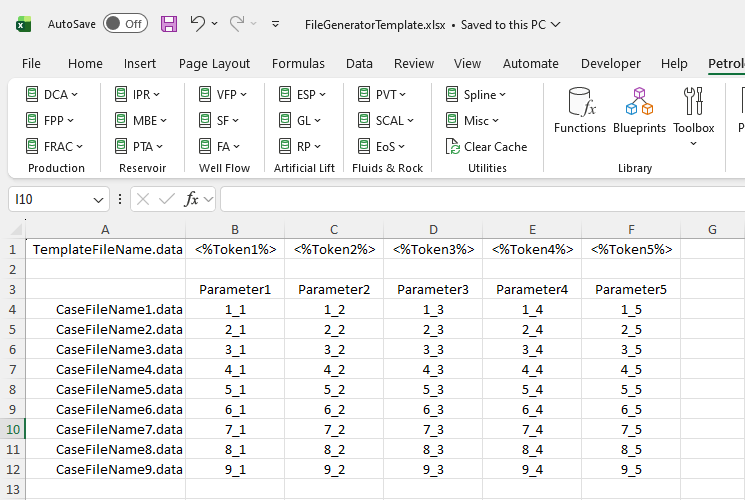
Define Cases in Excel
Set up a table with tokens as columns and cases as rows. Each row becomes a separate output file.
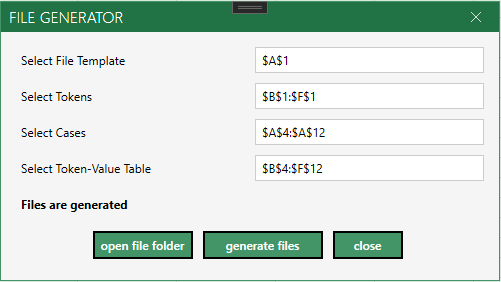
Generate Files
Open the File Generator dialog, select your ranges, and click Generate. All files are created in the template folder.
Common Use Cases
Sensitivity Analysis
Vary parameters systematically
- Permeability, porosity, skin factor sweeps
- Well spacing and completion variations
- Economic scenario analysis
History Matching
Generate candidate models
- Create hundreds of parameter combinations
- Automated file naming for organization
- Quick iteration on model parameters
Batch Simulation
Any text-based input format
- ECLIPSE, CMG, tNavigator input files
- Any text file with token substitution
- Template stays in sync with generated files
Accessing File Generator
Open File Generator from the Petroleum Office ribbon under Toolbox.
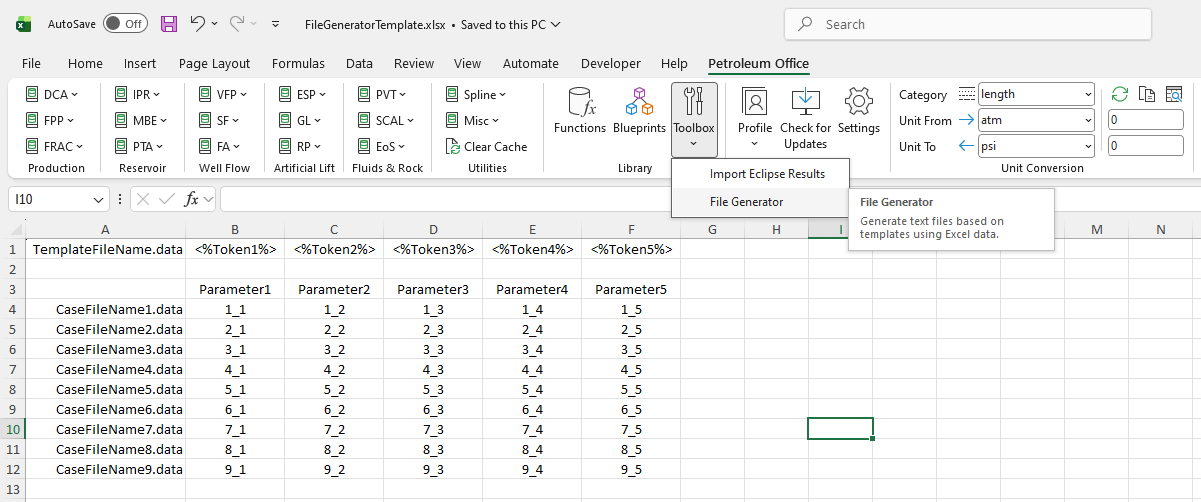
Open from Toolbox in the Library group
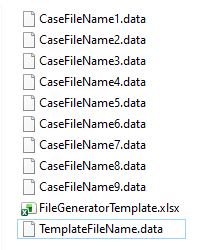
Generated files saved in the same folder as the template