Blueprint Manager
Ready-to-use Excel calculation templates — browse, preview, and install
Pre-Built Engineering Spreadsheets
Blueprints are professionally designed Excel templates that combine Petroleum Office functions into complete, ready-to-use calculation workflows.
Browse & Preview
See before you install
- Thumbnail previews of each blueprint
- Description and required functions listed
- Tags for quick filtering by topic
One-Click Install
Insert directly into Excel
- Click Install from the Blueprint Manager
- Opens as a new worksheet in your workbook
- All formulas and formatting preserved
Organized by Topic
Find what you need
- Decline curves, PVT analysis, type curves
- Material balance, well productivity
- Flow assurance and more
In Excel: Ribbon Access
Open the Blueprint Manager from the Petroleum Office ribbon to browse, preview, and install blueprints without leaving Excel.
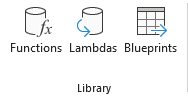
Screenshot: Ribbon → Library → Blueprints button
Click Blueprints in the Library group to open the manager
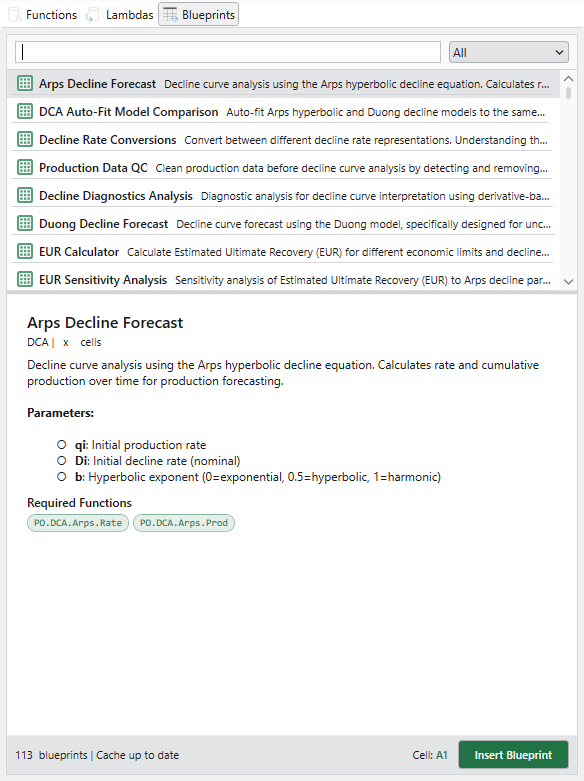
Screenshot: Blueprint Manager window with preview and tags
Browse blueprints with previews, tags, and one-click install
Online: Browse Anytime
Explore the full blueprint catalog on the web — read descriptions, check required functions, and plan your calculations.
Blueprint Catalog
Browse all blueprints online
- Grid of blueprint cards with thumbnails
- Filter by tags and categories
- See required functions at a glance
Blueprint Details
Full info per blueprint
- Full-size preview of the worksheet
- List of required Petroleum Office functions
- Description and usage instructions